
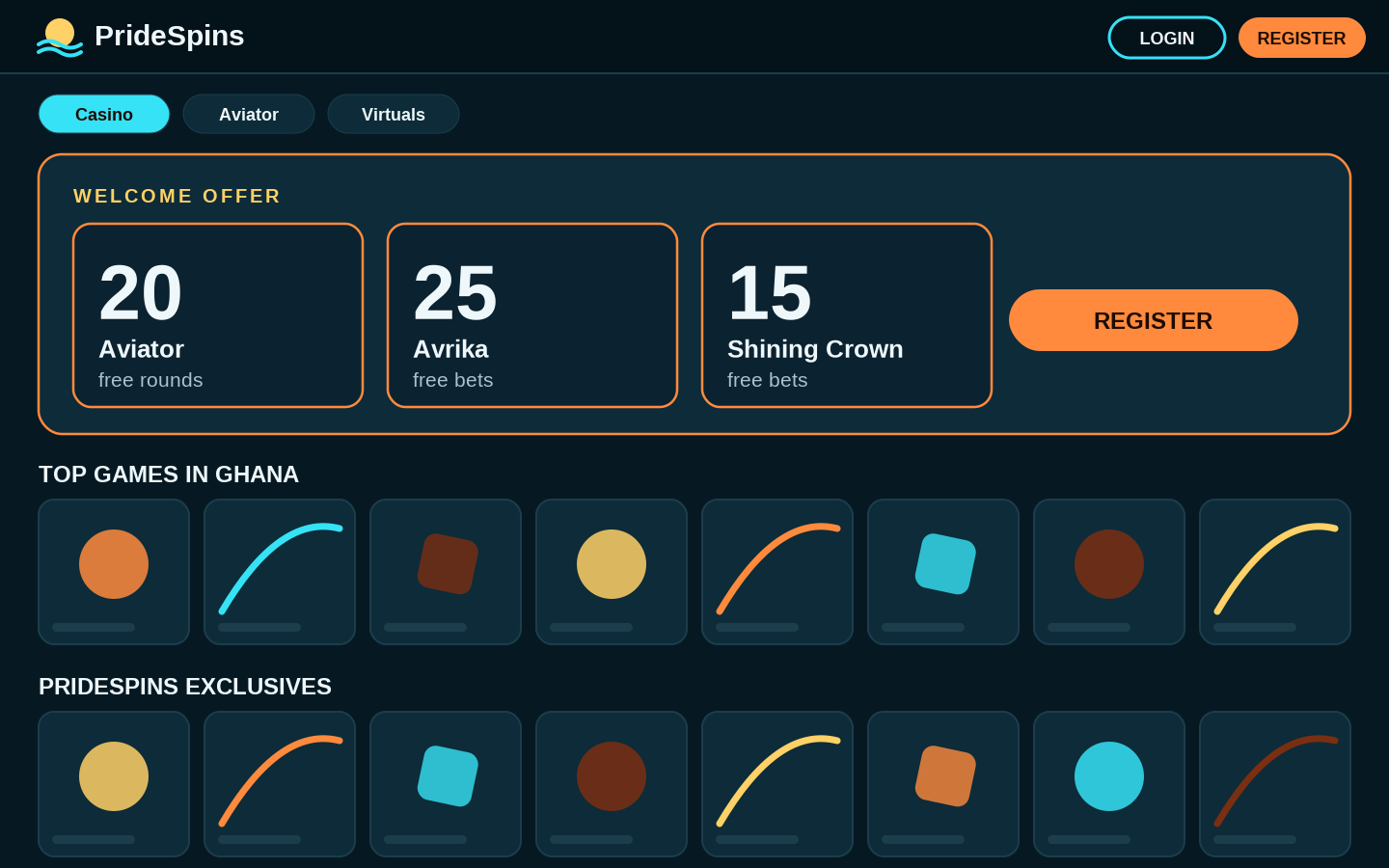
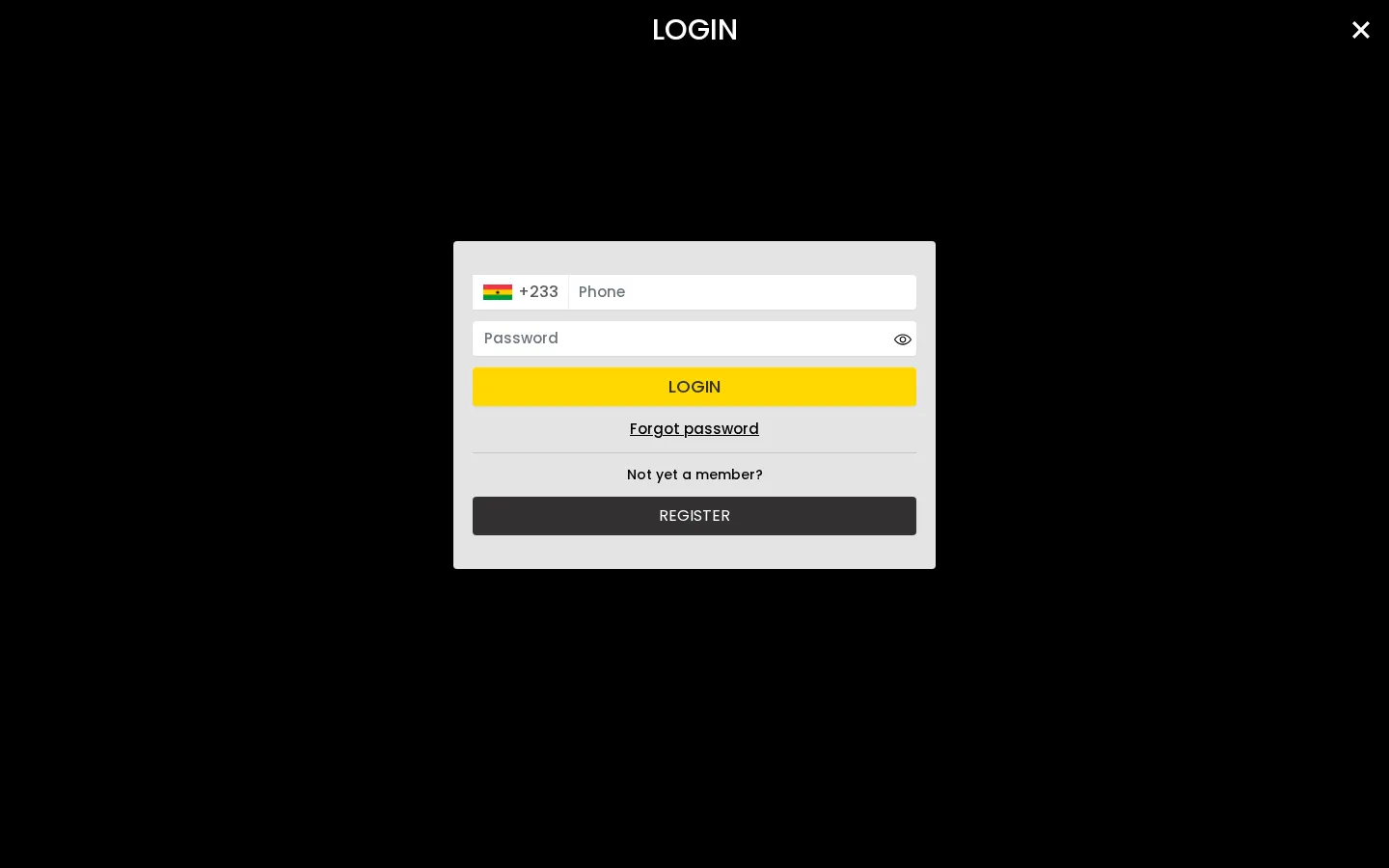
PrideSpins login in Ghana is a phone number and a password. The page is pridespins.com.gh/login, also reached from the yellow LOGIN button in the site header. There is no email field, no username field, and no Facebook or Google button on this form.
Sign in: +233 number, password, LOGIN. The same pair opens the app if you created the account on the website. 18+.
18+ · Licence: Gaming Commission of Ghana, No. GCRG26A0528Q (PrideBet Entertainment Ghana Limited)
PrideSpins login in a nutshell
| Item | What you use |
|---|---|
| Address | pridespins.com.gh/login |
| Phone | Prefix +233, then up to nine digits |
| Password | The one set at registration (minimum four characters at sign-up) |
| Other methods | None on the public form |
| Lost password | Forgot password → follow the on-screen steps to set a new password |
| App | Same number and password, if you registered on the site |
The com.gh login page
Type pridespins.com.gh/login, or open pridespins.com.gh and press LOGIN. The shorter domains pridespins.com and www.pridespins.com redirect to the .com.gh site, so you should still land on that host. This desk publishes on pridespinscasino.com; that is not the sign-in page. Before you enter a password, look at the address bar and confirm you are on pridespins.com.gh.
A casino-login search and a “PrideSpins Ghana login” search should resolve to the same form. There is one account, not a separate casino key.
Phone number and password, nothing else
The form shows two inputs. Phone is already prefixed with +233; you add the rest of the Ghana mobile number, up to nine digits. Password is a standard secret field with a show-password icon, so you can check what you typed. Then you press LOGIN.
Email is not collected on this screen. A username is not collected. Facebook and Google sign-in are not offered. There is also no two-factor prompt and no fingerprint or face-unlock control on the public web form. If a page asks for a social login or a file download in order to “unlock” PrideSpins, it is not this form.
PrideSpins app login with the same details
If you opened the account on the website, the same +233 number and password sign you into the PrideSpins app. You do not need a second registration to use the Google Play or App Store listing. The store facts, version 2.5.0, and why this desk does not send you to an APK are on the app page.
Searches for “PrideSpins app login download” are still a login job plus an install job: get the app from a store, then type the number and password you already have. If you do not yet have an account, register on the site first, then open the app.
PrideSpins login Ghana on a small screen
The same URL works in a mobile browser: pridespins.com.gh/login. Use the +233 prefix as it appears, and type the nine-digit local number without a leading zero if the field already includes the country code. After you sign in, the cashier, promotions hub and lobby are the same GHS account you would see on a laptop.
If you prefer a store app rather than the browser, install it from Google Play or the App Store and sign in there. There is no PWA on the brand site to pin as a third option.
Getting back in with Forgot password
Under the form is a Forgot password link. It opens pridespins.com.gh/forgot-password and asks for the phone number linked to the account. Follow the on-screen steps to set a new password. Use the number you registered with, not a friend’s wallet number and not a new SIM that was never added to the account.
If you cannot complete the on-screen steps, contact PrideSpins on +233242426400, at support@pridespins.com.gh, or through Live Chat — not the Jamestown Desk inbox.
When sign-in does not go through
Work through the simple checks first. Confirm the host is pridespins.com.gh. Confirm you are entering a Ghana number in the Phone field, not an email address. Use the show-password icon to catch a typo. If you have just registered, finish the SMS verification step on the sign-up form before you try to log in.
If you are sure the number is right and the password still fails, use Forgot password and follow the on-screen steps to set a new password. If you have self-excluded or asked for the account to be closed, sign-in will not reopen it; you need to speak to PrideSpins support.
After you are in
A first sign-in is the moment to look at three things: the cashier (deposits from GHS 5, welcome steps from GHS 10), the promotions hub, and the document checks that can be requested later. Withdrawals go back to the method you used to pay in, and they start at GHS 10 with a GHS 20,000 daily cap. A longer payments note is on the home page.
If this was your first session, you may also want the welcome package before you send a GHS 10 deposit.
Keep in mind
- Sign-in is phone and password only on the public form.
- Use Forgot password and follow the on-screen steps to set a new password.
- The app uses the same details as the website account.
- pridespinscasino.com is not the login host.
- Customer Center is +233242426400 and support@pridespins.com.gh, not the store-listing Gmail address.
PrideSpins login questions
What do I need for PrideSpins login?
A Ghana +233 number and the account password. There is no email or social sign-in on the public form.
Where is the PrideSpins com.gh login?
https://pridespins.com.gh/login. pridespins.com redirects to the same site. Check the address bar before you type a password.
How do I reset a PrideSpins password?
Open Forgot password, enter the phone number on the account, and follow the on-screen steps to set a new password.
Can I use PrideSpins app login with a website account?
Yes, if you registered on the site, the same phone number and password work in the app.
Can I sign in with Facebook or Google?
No. Those routes are not offered on the PrideSpins login form.
What if I do not have an account yet?
Use Register, not Login. The sign-up form is a three-step process starting at pridespins.com.gh/sign-up.
Play with a clear head
A sign-in is easy to repeat, so decide a session length before you open the cashier. PrideSpins does not publish a self-serve time-out control; a longer pause is arranged through support, and you name the period. 18+. Help pages named by the brand are Gamblers Anonymous and Gambling Therapy.